NewIntroducing new Vadio mobile appDownload now

Vadio Connect app for iOS and Android

The Vadio app is for use at customer locations.

See today's jobs, take photos of the inspection yourself without coverage, send the offer from the car and hold the video meeting from your phone. In Norwegian, English, Swedish, Danish, German and Finnish.


Get it on Google PlayDownload on the App Store
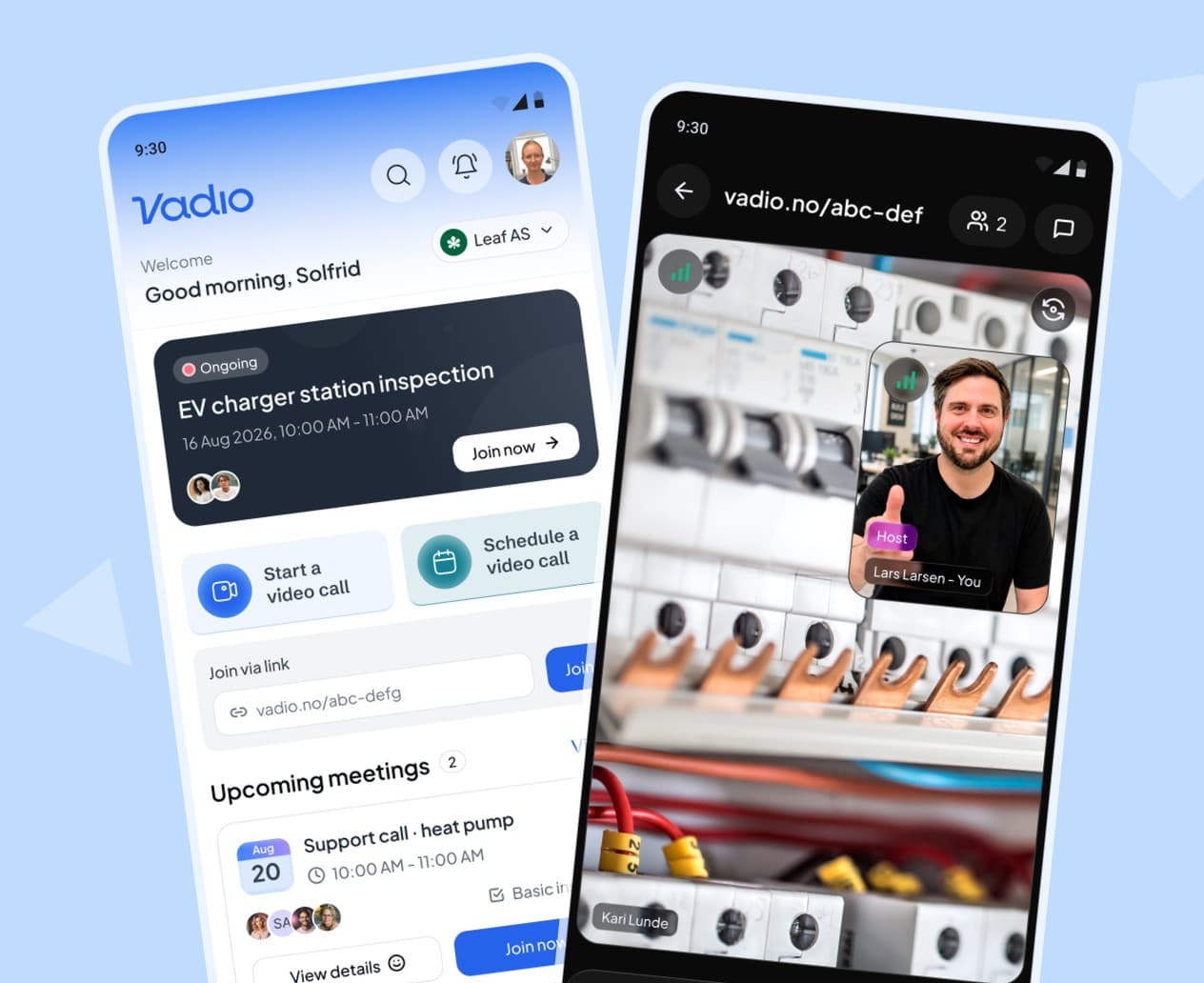
Two phones running the Vadio app: the home screen with an ongoing EV charger station inspection, and a video call with a technician in front of an open fuse box

Join 100+ companies using Vadio to streamline their business.

  • Cooley
  • Escalon
  • Goodwin
  • Wilson Sonsini
  • Gunderson Dettmer
  • DLA Piper

Home

Your whole workday, in your pocket.

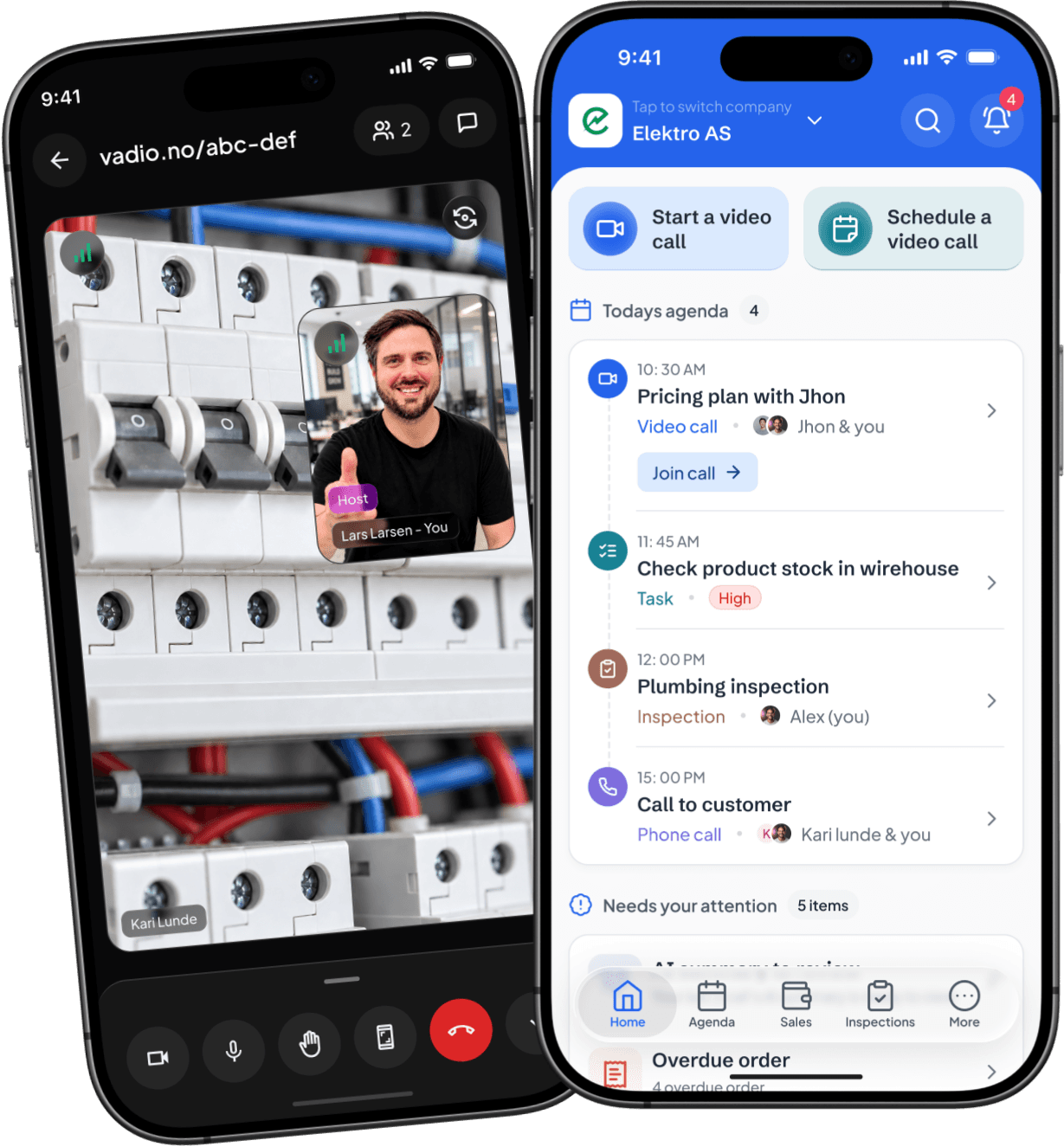
  • Today’s agenda at a glance

    Video calls, inspections, tasks and customer calls in one timeline. Tap to join, navigate or start the job.

  • Nothing slips through

    “Needs your attention” flags overdue orders, reports waiting for review and leads you haven’t answered — before they become a problem.

  • One login for every company

    Work for the chain and your own firm? Switch company with one tap. Customers, prices and jobs stay separate.
Get it on Google PlayDownload on the App Store
The Vadio app home screen for Elektro AS: video call shortcuts and today’s agenda of calls, tasks and inspections; behind it, a video call in the Vadio app, the technician giving a thumbs up in front of an open fuse box

Sales and CRM

Manage your entire sales process from the app

Capture new leads, assign the right team member, and move every opportunity from first contact to won deal. Vadio keeps customer details, activities, offers, and orders connected, so your team always knows what happened and what comes next.

  • View and manage leads, deals, offers, and orders in one place.
  • Assign owners, track progress, and update deal status on the go.
  • Keep calls, meetings, notes, and customer history connected to every deal.
Get it on Google PlayDownload on the App Store
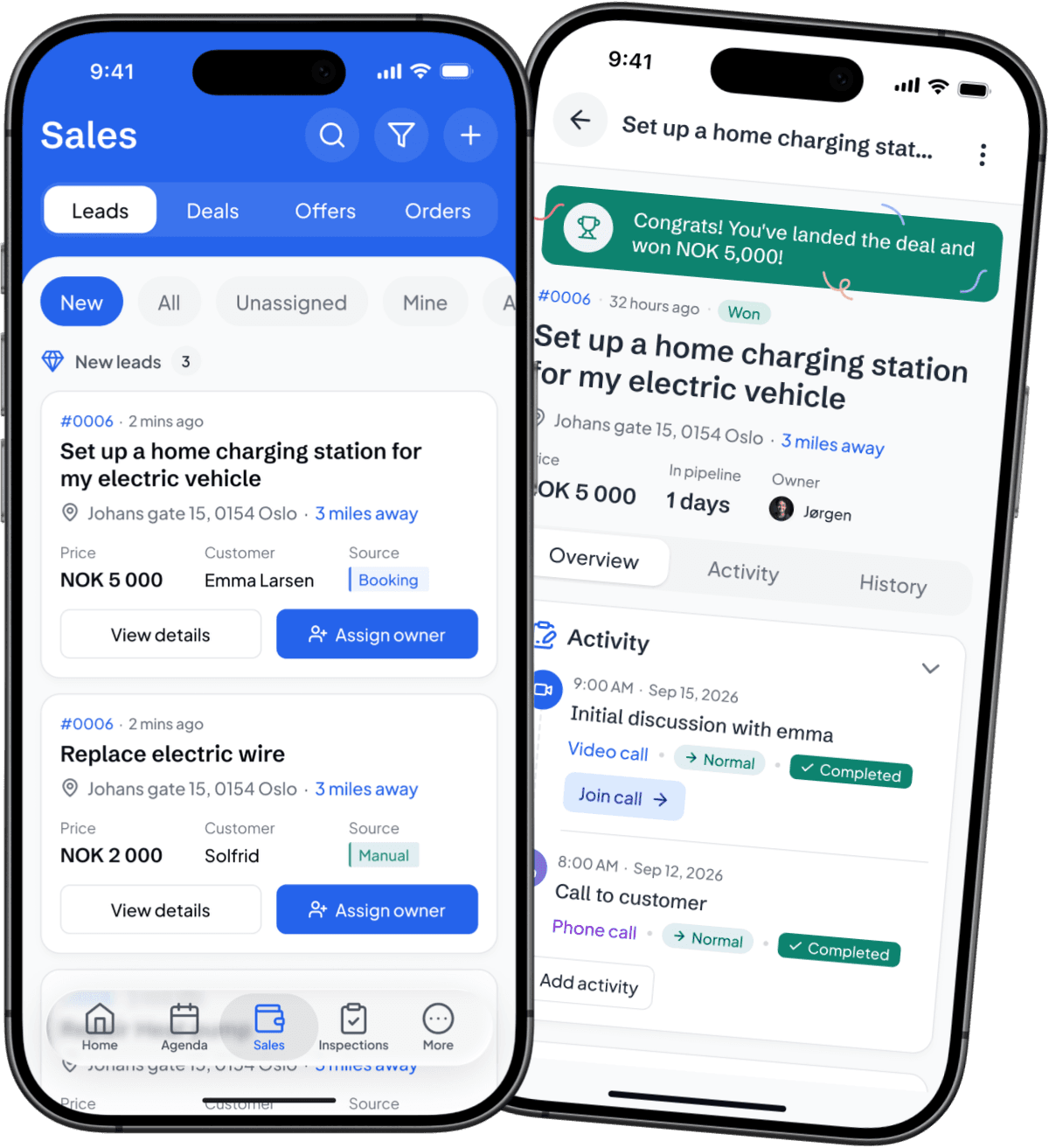
The Sales screen of the Vadio app: new leads, each with its price, customer and source; behind it, a won deal in the Vadio app, set up a home charging station, with its activity history

Inspection

Document the work. Let Vadio write the report.

Capture photos, videos, voice recordings, and notes while you inspect. Vadio organizes everything and uses AI to create a structured draft report—ready for you to review, finalize, and download.

  • Record every finding with photos, videos, voice notes, and written notes.
  • Turn your inspection evidence into a clear AI-generated draft report.
  • Review the report, prepare the proposal, and download the final PDF from the app.
Get it on Google PlayDownload on the App Store
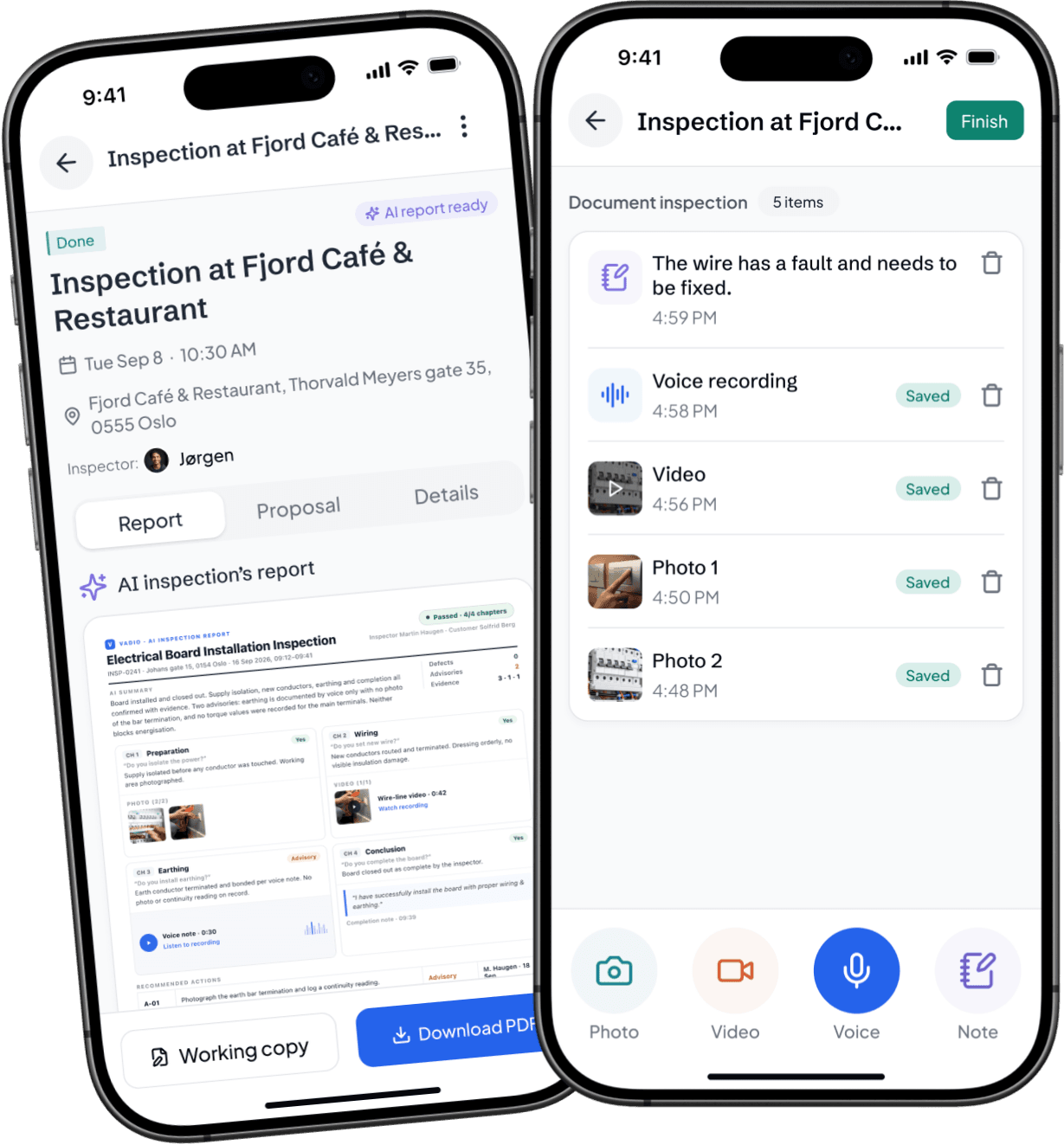
An inspection being documented in the Vadio app: a note, a voice recording, a video and two photos; behind it, the AI inspection report for Fjord Café & Restaurant in the Vadio app, ready to download as a PDF

Offer management

Create, send, and track every offer from the app

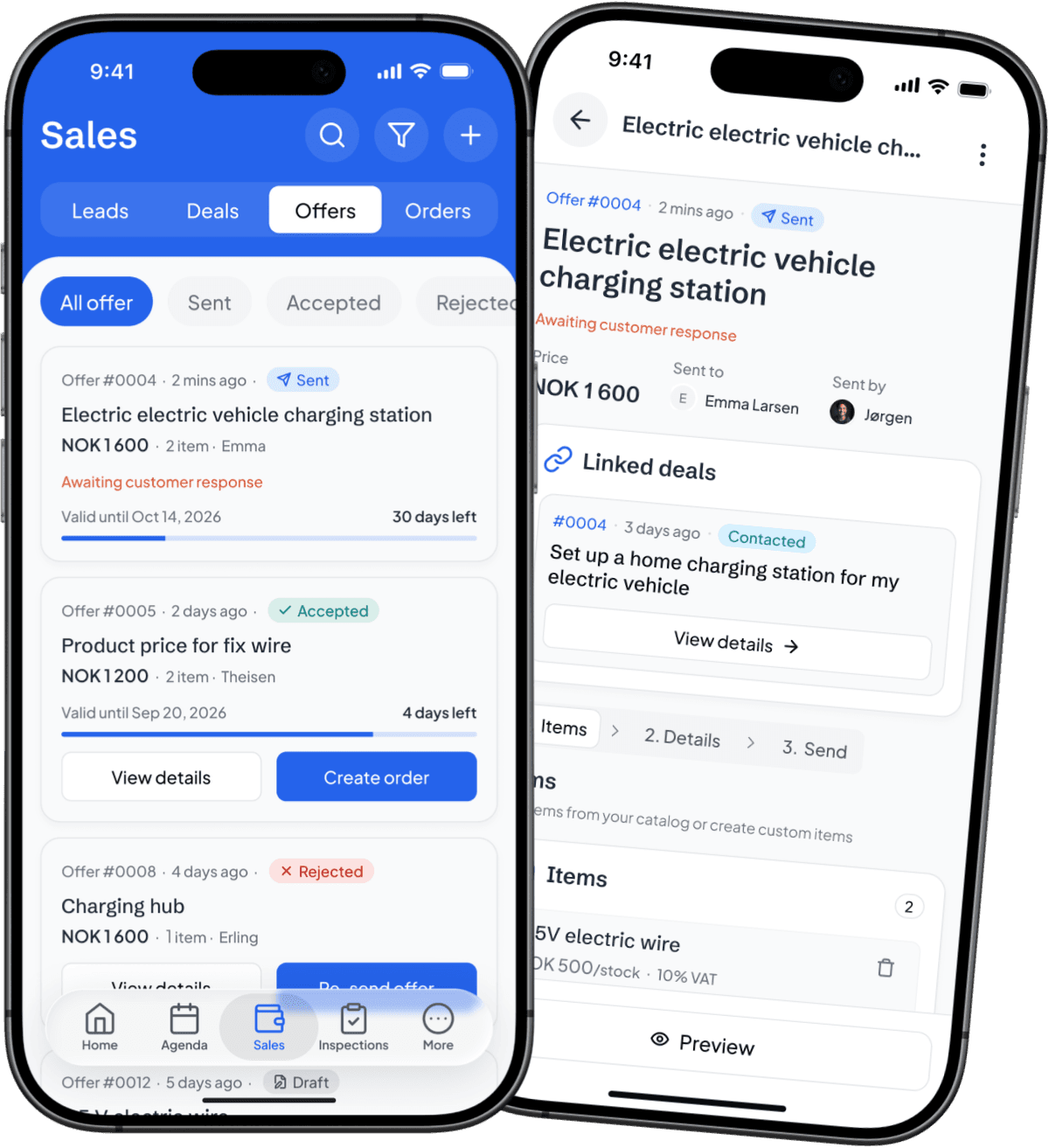
Build professional offers using items from your catalog or add custom items when needed. Link each offer to the right deal, send it to your customer, and follow its status from draft to accepted—all in one clear workflow.

  • Create offers in three simple steps: add items, review details, and send.
  • Track draft, sent, accepted, and rejected offers from one organized view.
  • Convert accepted offers into orders without entering the information again.
Get it on Google PlayDownload on the App Store
The offers list in the Vadio app: sent, accepted and rejected offers with their status; behind it, a sent offer in the Vadio app for an electric vehicle charging station, linked to its deal

Video calls

See the problem before you visit

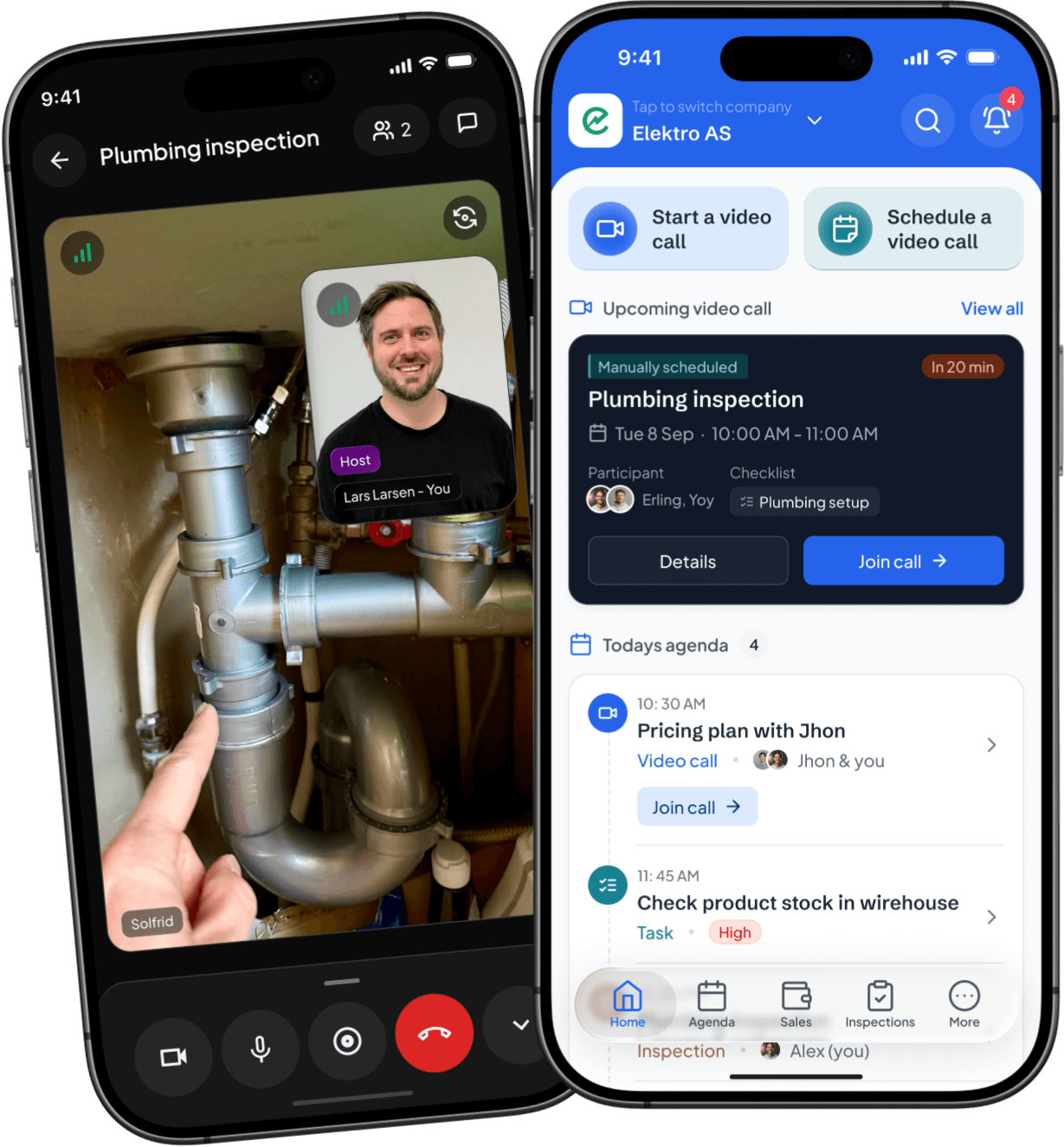
Start a video call instantly or schedule one for later. The customer joins through a simple link—no app required—so they can show you the issue live while you guide them through the inspection.

  • Start or schedule customer video calls directly from Vadio.
  • View the issue live, capture important details, and complete your checklist during the call.
  • Keep the recording and call summary connected to the customer for easy follow-up.
Get it on Google PlayDownload on the App Store
The Vadio app home screen with an upcoming plumbing inspection video call ready to join; behind it, a video call in the Vadio app, the customer showing the pipes under a sink to the technician

More app features

Everything your team needs, wherever work happens

Customers
Add a customer on the spot. Vadio will notify you if the customer already exists.
Meeting history
Review previous meetings, notes, outcomes, and follow-up actions whenever you need the full context.
Bookings
See who has booked, move the time, or give the job to a colleague.
Notification
Stay informed about new leads, assigned tasks, upcoming meetings, offer responses, and other important updates.
Activities
Schedule calls, meetings, tasks, and follow-ups so every customer interaction has a clear next step.
Daily agenda
See your meetings, video calls, tasks, and deadlines in one organized view of the day ahead.
Workspaces & employees
Switch between workspaces, manage team members, and keep everyone connected.
Settings & dark mode
Personalize your Vadio experience, manage app preferences, and switch to dark mode for comfortable viewing.

Customer stories

A few words from our cherished users

Monarch

NOK 1.2m

Revenue earned from vadio

Because we have every event flowing into Vadio.io, we were able to build a journey that adapts to what each user is actually doing—or not doing.

ErlingFounder of Elfag
Read customer stories
Erling, founder of Monarch
  • "Shadcn UI Kit for Figma has completely transformed our design process. It’s incredibly intuitive and saves us so much time. The components are beautifully crafted and customizable.”
    Lando NorrisFounder at Acme Inc.
  • "The attention to detail in this UI kit is outstanding. We've seen a significant improvement in our development speed since implementing it. Highly recommended for any serious project."
    Lando NorrisFounder at Acme Inc.
  • "What impressed me most was how seamlessly it integrated with our existing workflow. The documentation is clear, and the component quality is consistently high."
    Lando NorrisFounder at Acme Inc.
  • "Shadcn UI Kit for Figma has completely transformed our design process. It’s incredibly intuitive and saves us so much time. The components are beautifully crafted and customizable.”
    Lando NorrisFounder at Acme Inc.
  • "The attention to detail in this UI kit is outstanding. We've seen a significant improvement in our development speed since implementing it. Highly recommended for any serious project."
    Lando NorrisFounder at Acme Inc.
  • "What impressed me most was how seamlessly it integrated with our existing workflow. The documentation is clear, and the component quality is consistently high."
    Lando NorrisFounder at Acme Inc.

FAQ

Frequently asked questions about Sales & CRM

Vadio is a visual collaboration platform that helps businesses carry out inspections, provide support, clarify jobs, and document work remotely using live video.

Still have questions? Contact our support

Is your industry not mentioned?

Tell us what you need to see before we can fix it. We'll set up Vadio for you together. Book a demo with our business developer